Curious What Really Happens During a ProtectNet Installation? Here’s How We Secure Your Building Step by Step
As the holiday season begins and buildings get busier with deliveries, visitors, and festive gatherings, a reliable security system becomes more important than ever. At ProtectNet Security Corp, what residents and property managers see is the final, polished result, with a smart and responsive entry system that just works.
What they don’t always see is the detailed process behind it. Here’s exactly how a full ProtectNet installation comes together, step by step.
Step 1: Preparing the Right Tools for the Job
Every installation day starts with preparation.
Our technicians gather the essentials: cable testers, mounting hardware, intercom panels, cameras, access readers, networking gear, and cloud credentials.
Just like planning for a busy holiday week, success comes from being ready before anything starts. Having everything organized and tested in advance ensures the installation runs smoothly from the moment we arrive on-site.
Step 2: Walking the Property and Mapping the System
Before a single device is installed, we walk the building entrances, hallways, lobbies, stairwells, and key access points. We confirm camera angles, test signal strength, plan wiring routes, and decide where intercoms and readers should go for both performance and convenience.
Nothing is installed randomly. This step is where we answer important questions like:
— Can cameras cover every critical area without blind spots?
— Is the intercom placed where residents and visitors can use it comfortably?
— Are access points secure but still easy to navigate?
By the end of this stage, we have a clear, customized blueprint designed specifically for that property.
Step 3: Installing the Hardware With Precision
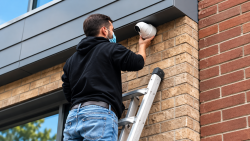
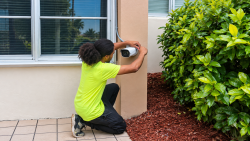
Once the plan is locked in, installation begins. Intercoms are mounted at optimal heights, cameras are carefully aligned, and access readers are placed where they’re both secure and easy to use.
Precision matters. A camera that’s off by a few degrees can miss important activity. An intercom that’s too low or too high becomes awkward to use. During this phase, our team focuses on durability, aesthetics, and long-term performance — making sure the system doesn’t just work today, but for years to come.
Step 4: Connecting Everything Through the Cloud
With the hardware in place, we move on to configuration. Devices are connected to the building’s cloud-based dashboard, users are added, access schedules are created, camera feeds are tested, and notifications are fine-tuned.
This is what turns equipment into a smart security system. Property managers gain the ability to:
— See who’s entering and when
— Adjust access permissions remotely
— Monitor camera feeds in real time
— Respond quickly if something looks off
Especially during the holiday season, when traffic is high and packages are frequent, this level of control makes all the difference.
Step 5: Testing With Real People — Not Just Checklists
Once the system is configured, we don’t just pack up and leave. We test it with the people who will actually use it.
Managers log into the dashboard and try different functions, residents test the intercom and mobile access, and guests use the system just as they would on a normal day.
We watch how everything works together in real scenarios and fine-tune any details that need adjustment. Our goal is simple: by the time we leave, the system should feel intuitive, responsive, and dependable.
Why This Process Matters, Especially During the Holidays
A security system isn’t just a collection of devices. It’s a combination of planning, craftsmanship, technology, and trust. During the holidays, when buildings see more visitors, more deliveries, and more activity, that trust becomes even more important.
At ProtectNet, every installation is built on the same promise:
Done once. Done right. Built to protect your building through every season.
Build Smarter Security With a Team You Can Trust
Whether you’re upgrading an outdated intercom, improving camera coverage, or modernizing access control, ProtectNet makes the process clear, structured, and stress-free.
NYC: 516-249-2288 | South Florida: 754-260-3777 | www.protectnet.us