Behind Every ButterflyMX Installation: The ProtectNet POV
It’s Never Just About Mounting a Screen
From the outside, a ButterflyMX installation looks simple. A sleek intercom panel replaces an outdated unit. Residents download an app. Access becomes mobile.
But from our perspective at ProtectNet Security Corp, that visible upgrade is only the final step of a much larger process.
Because installing ButterflyMX isn’t about putting a device on a wall.
It’s about redesigning how a building controls entry, manages flow, and builds trust.
Step One: Understanding How the Building Actually Operates
Before we touch wiring or hardware, we ask questions.
How many residents move through the entrance during peak hours?
Where do deliveries pile up?
Which doors cause the most frustration?
How does management currently grant access?
Every building operates differently. A residential mid-rise in South Florida doesn’t move the same way as a mixed-use property in NYC. If we don’t understand the daily rhythm, even the best technology won’t perform the way it should.
ButterflyMX is powerful, but how it’s installed determines how well it works.
Step Two: Preparing the Infrastructure
Smart systems require strong foundations.
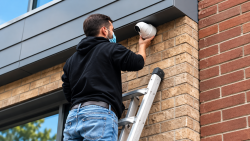
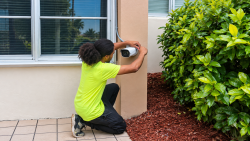
We evaluate wiring conditions, mounting locations, connectivity strength, and door hardware integrity. If something behind the wall is weak, the front-facing device won’t compensate for it.
Sometimes that means reinforcing hardware.
Sometimes it means correcting years of patchwork wiring.
Sometimes it means repositioning cameras to complement the new entry system.
The goal isn’t just activation. It’s long-term reliability.
Step Three: Integration, Not Isolation
A ButterflyMX panel doesn’t operate alone.
We integrate it with existing access control systems, cameras, and cloud dashboards to ensure everything communicates clearly. Entry logs align with video footage. Mobile access aligns with door hardware. Notifications align with management workflows.
When integration is done right, management doesn’t feel overwhelmed. They feel in control.
Step Four: Testing the Real-World Experience
Before we leave a property, we test the system the way residents will use it.
We simulate deliveries.
We verify visitor calls.
We test mobile unlock from different devices.
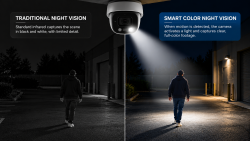
We confirm clarity in both daylight and low-light conditions.
Because the real test of a ButterflyMX installation isn’t whether it powers on. It’s whether it performs consistently during everyday use.
What Residents See vs. What We See
Mobile entry. Clear video. No more key fobs.Residents see convenience:
Reduced lockouts. Cleaner access logs. Fewer service calls. Stronger accountability.We see something deeper:
The installation isn’t just about improving entry. It’s about improving operations.
From Our Perspective, Reliability Is the Real Upgrade
Anyone can mount a device. Not everyone designs a system around the building itself.
At ProtectNet, every ButterflyMX installation is built with one priority:Make it work today and keep it working long after we leave.
Because behind every smart intercom is a team ensuring it stays smart.
Thinking About Upgrading to ButterflyMX?
Let’s talk about what your building actually needs.
Request a Camera Performance Check today!
Call NYC: (516) 249-2288 | South Florida: (754) 260-3777